

Auto Dialer vs Predictive Dialer: What’s the Difference?
As a business owner, you know that making calls is an important part of your marketing and sales strategy. You may have also heard about dialer systems and wondered what the difference is between auto dialers and predictive dialers. In this blog post, we will explore the differences between these two types of dialers and help you decide which one is right for your business. You can get a virtual number here!

Secrets of Recording Phone Calls: Everything You Need to Know
How to Record a Phone Call Do you need to record a phone call for work or personal reasons? Are...

What Is B2B Customer Service? Everything You Need To Know
If you’re running a business, it’s important to provide excellent customer service. After all, your customers are the lifeblood of...

Troubleshooting International Calls: The Ultimate Guide
Why won’t my international call go through? Making an international phone call used to be a pretty straightforward process. You...

Overcoming Your Fear of Making Cold Calls: The Ultimate Guide
How To Make a Cold Call Are you afraid of making cold calls? You’re not alone. The thought of picking...
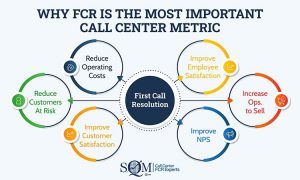
Why First Call Resolution Rate is Critical for Customer Success
First Call Resolution Rate: Importance For Customer Support Service First call resolution rate is the percentage of customer support issues...
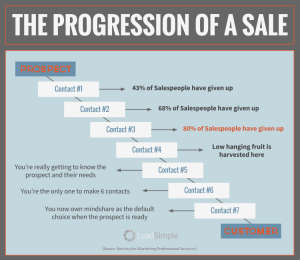
How to Close the Deal: Effective Follow-Up Strategies for Sales Success
How to Follow up Successfully After a Sale Making the sale is just the beginning. In order to turn a...